


Using third-party libraries in your mobile app development projects -whether it’s iOS or Android- can help you boost your productivity and save time when coding. The thing is, with so many of them out there, which ones are worth using?
As software developers, we have a toolbox of choice in which we rely on every day for building new applications. This time we are sharing with you the ones we consider to be useful in common scenarios such as building UIs or reaching a web API.
Notice that the following libraries are not in any specific order. We’ve selected two for Android, another two for iOS, and one library that works in both. Let’s get started!
Gson (Android)
 Google’s Gson is a simple, open-source Java library used for serializing/deserializing Java objects into and from JSON. It is highly optimized, easy to use, and pretty lightweight. Therefore, Gson comes in handy for communicating with APIs, a super-common task in mobile development.
The process of converting Java objects into their JSON counterpart is very straightforward as you can see in the portion of code below:
// For serializing
String json = new Gson().toJson(user);

// For deserializing
User user = new Gson().fromJson(json, User.class);
Gson’s Git repository provides a complete guide that walks you through the process of starting with this library.
Retrofit (Android)
Retrofit by Square is a type-safe HTTP, REST client for Android that allows you to easily translate API calls into Java interfaces. It uses the Gson library by default, but it also supports others as well.
The good thing about treating API calls as Java methods-like is that you only need to define the target URLs and parameters as Java classes, which makes the process clearer and simpler. It can handle asynchronous and synchronous requests with automatic JSON parsing. In comparison to other Android networking libraries, Retrofit seems to perform better according to some benchmarks.
Retrofit’s website has everything you need to get started.
MBProgressHUD (iOS)
Moving on to iOS libraries, MBProgressHUD by Matej Bukovinski is an easy to use progress indicator for iOS applications with several styles. Almost every app has a progress dialog and this library makes it simple to integrate one. It also allows you to customize the HUD as you like with your own assets.
Getting started with it is pretty quick, just by following its GitHub documentation. MBProgressHUD also provides out-of-the-box a sample demo that you can play with. We only added our logo for the Custom view style:
Those three styles we showcased above are generated this way:
- (void)indeterminateExample {
    // Show the HUD on the root view (self.view is a scrollable table view and thus not suitable,
    // as the HUD would move with the content as we scroll).
    MBProgressHUD *hud = [MBProgressHUD showHUDAddedTo:self.navigationController.view animated:YES];

    // Fire off an asynchronous task, giving UIKit the opportunity to redraw with the HUD added to the
    // view hierarchy.
    dispatch_async(dispatch_get_global_queue(QOS_CLASS_USER_INITIATED, 0), ^{

        // Do something useful in the background
        [self doSomeWork];

        // IMPORTANT - Dispatch back to the main thread. Always access UI
        // classes (including MBProgressHUD) on the main thread.
        dispatch_async(dispatch_get_main_queue(), ^{
            [hud hideAnimated:YES];
        });
    });
}

- (void)determinateExample {
    MBProgressHUD *hud = [MBProgressHUD showHUDAddedTo:self.navigationController.view animated:YES];

    // Set the determinate mode to show task progress.
    hud.mode = MBProgressHUDModeDeterminate;
    hud.label.text = NSLocalizedString(@"Loading...", @"HUD loading title");

    dispatch_async(dispatch_get_global_queue(QOS_CLASS_USER_INITIATED, 0), ^{
        // Do something useful in the background and update the HUD periodically.
        [self doSomeWorkWithProgress];
        dispatch_async(dispatch_get_main_queue(), ^{
            [hud hideAnimated:YES];
        });
    });
}

- (void)customViewExample {
    MBProgressHUD *hud = [MBProgressHUD showHUDAddedTo:self.navigationController.view animated:YES];

    // Set the custom view mode to show any view.
    hud.mode = MBProgressHUDModeCustomView;
    // Set a custom image view. We are going to use our logo.
    UIImage *image = [[UIImage imageNamed:@"CustomImage"] imageWithRenderingMode:UIImageRenderingModeAlwaysTemplate];
    hud.customView = [[UIImageView alloc] initWithImage:image];
    // Looks a bit nicer if we make it square.
    hud.square = YES;
    // Optional label text.
    hud.label.text = NSLocalizedString(@"Done", @"HUD done title");

    [hud hideAnimated:YES afterDelay:3.f];
}
Quite simple, right?
Hero (iOS)

Hero is a useful library for building good-looking and fluent view controller transitions, without a lot of effort. These transitions can be customized for different scenarios as you can see in this gallery.
You can install it through CocoaPods just by adding the [pod ‘Hero’] entry to your Podfile.
Here’s how setting up Hero looks like for a basic transition effect with our logo. As you’ll see, it’s just a matter of a few lines of code:
import UIKit

class ViewController: UIViewController {
  @IBOutlet weak var olImageView: UIImageView!

  override func viewDidLoad() {
    super.viewDidLoad()

    // Enable Hero for transitions
    navigationController?.hero.isEnabled = true

    // Define the transition type for present new screens
    navigationController?.hero.navigationAnimationType = .fade

    // Set an id to the OrangeLoops Image View
    olImageView.hero.id = "OrangeLoops-Logo"
  }

  @IBAction func navigateToSecondViewController(_ sender: Any) {
    if let viewController =
      self.storyboard?.instantiateViewController(identifier: "SecondViewController") as? SecondViewController {
      navigationController?.pushViewController(viewController, animated: true)
    }
  }
}
Lottie (Android & iOS)

Airbnb’s Lottie is an iOS, Android, and React Native library that allows integrating animations easily to native apps. It supports After Effects animations and its features by rendering them in real-time.
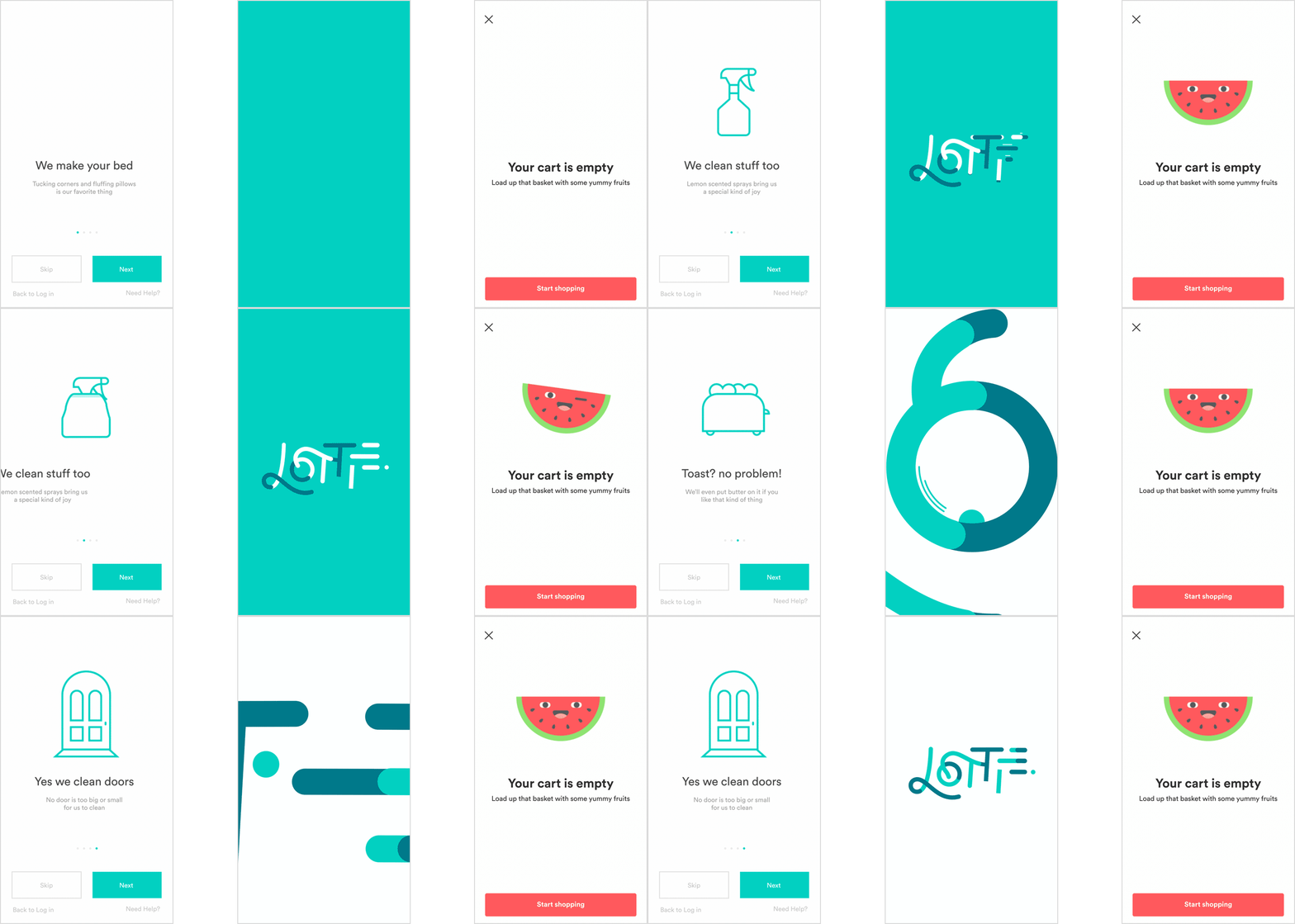
Without this library, developers have to entirely re-write animations, something very time-consuming. Thanks to Lottie, you can handle rich animations effortlessly as you would do with any other static asset, customizing its behavior and setting properties for specific use cases.
It’s pretty straightforward to start playing around with this library by following its guides for your native platform of choice.
We used Lottie and Hero’s portion of code shared above to create a simple animation with transitions for our logo. Here’s Lottie set up:
import UIKit
import Lottie

class SecondViewController: UIViewController {
  @IBOutlet weak var animationContainerView: UIView!
  @IBOutlet weak var olImageView: UIImageView!

  open var lottieAnimationView: AnimationView?

  override func viewDidLoad() {
    super.viewDidLoad()

    // Set an id to the OrangeLoops Image View
    olImageView.hero.id = "OrangeLoops-Logo"

    // Create and configure animation to be displayed
    setupLottieAnimationView()

    // Start animation
    lottieAnimationView?.play()
  }

  func setupLottieAnimationView() {
    // Load Lottie file into an animation view
    lottieAnimationView = AnimationView(name: "lottie-animation")

    guard let lottieAnimationView = lottieAnimationView else { return }

    lottieAnimationView.backgroundBehavior = .pauseAndRestore
    lottieAnimationView.loopMode = .loop
  }
}
And this is the final result. You’ll see a short animation built with Lottie below OrangeLoops’ logo:
Bonus: Cocoapods (iOS)

Yes, not a library, but we consider it to be yet useful for beginners. For those who don’t know, Cocoapods is a dependency manager for Swift and Objective-C projects where you can find thousands of libraries and frameworks. You can get started with it right away by following its official guide.
Cocoapods makes easy the process of handling third-party dependencies used by an iOS application. Besides, it also boosts the discovery of open-source libraries in a more centralized place. We do have one view controller over there for animating a header view along with scrolling, check it out!
Final thoughts
This was a brief list of free and useful tools for building mobile apps, either for iOS or Android, that our own team uses on a daily basis.
Are you looking to start a mobile app development project? We are here to help! Drop us a line.